Overview
Stock Transfer Approver adds approval workflows to Odoo 18 stock transfers, helping warehouse managers control validation before processing.
Supports v 18.0 — available directly on the Odoo Apps Store.
Description
Stock Transfer Approver introduces a structured approval step into the Odoo 18 stock transfer process, covering Internal Transfers, Purchase Receipts, and Sales Deliveries. In standard Odoo, any user with access rights can validate a stock transfer immediately, which can leave inventory movements unchecked. This module addresses that gap by requiring an approval before the transfer is validated, giving businesses a way to structure who can authorize inventory movements and when.
Key Features
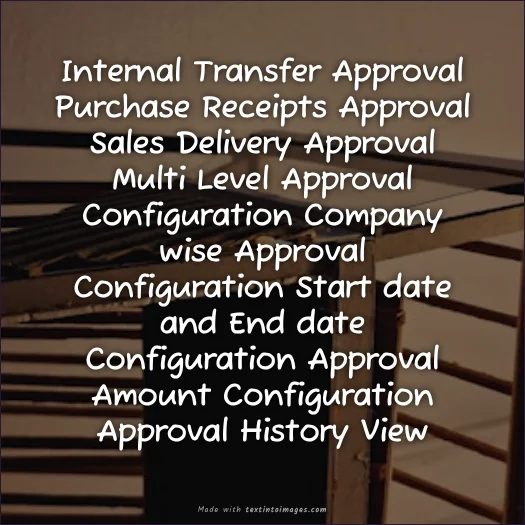
- Multiple approval workflow for Odoo 18 stock transfers
- Covers Internal Transfers, Purchase Receipts, and Sales Deliveries
- Company wise configuration of approval rules
- Date wise configuration of approval rules
- Amount wise configuration of approval rules
- Full traceability of the approval process before validation
- Runs in Odoo.sh and On-Premise environments
How It Works
The Stock Transfer Approver module sits between the creation of a stock transfer and its final validation. Instead of allowing any authorized user to validate an Internal Transfer, Purchase Receipt, or Sales Delivery immediately, the module requires that the transfer go through an approval step first. Approval rules can be configured on a company wise basis, a date wise basis, and an amount wise basis, allowing businesses to define the conditions under which a stock transfer needs to be approved before it moves forward. Every approval action is tracked, giving full traceability of who reviewed and approved each inventory movement.
Business Use Cases
Warehouse Managers and Operations Directors using Odoo 18 can apply this module to make sure stock transfers are not validated without proper review. For example, a company may want to enforce approval on Purchase Receipts above a certain value, or apply different approval rules across different companies within the same Odoo database. Because rules can also be configured by date, businesses can adjust approval requirements for specific periods, such as during stock audits or high-value shipment windows. This is particularly useful for organizations that need to ensure inventory movements — whether Internal Transfers, Purchase Receipts, or Sales Deliveries — are checked before they are finalized, rather than relying on the standard Odoo behavior where any user with access can validate a transfer instantly.
Frequently Asked Questions
Does this module apply to all types of stock transfers?
It applies to Internal Transfers, Purchase Receipts, and Sales Deliveries, as stated in the supplied module information.
Can approval rules differ between companies?
Yes, the module supports company wise configuration, allowing different approval rules to be set up per company.
Can approvals be based on the value of the transfer?
Yes, amount wise configuration is available, so approval requirements can be tied to the value of the stock transfer.
Can approval rules be limited to certain dates?
Yes, date wise configuration allows approval rules to apply to specific periods.
Does the module provide a record of who approved a transfer?
Yes, the module offers full traceability of the approval process before a stock transfer is validated.
Where can this module be deployed?
According to the supplied information, it runs in both Odoo.sh and On-Premise environments.